
Agent Configuration - Other settings
In this section, we will
Post-processing
Conversation closure interval
This parameter controls time period after which conversations with the Agent are automatically closed and post-processed. Default value is 1 day, but intervals of 3 days and 1 week are also available. Conversation closure and post-processing are handled by a regular job run.

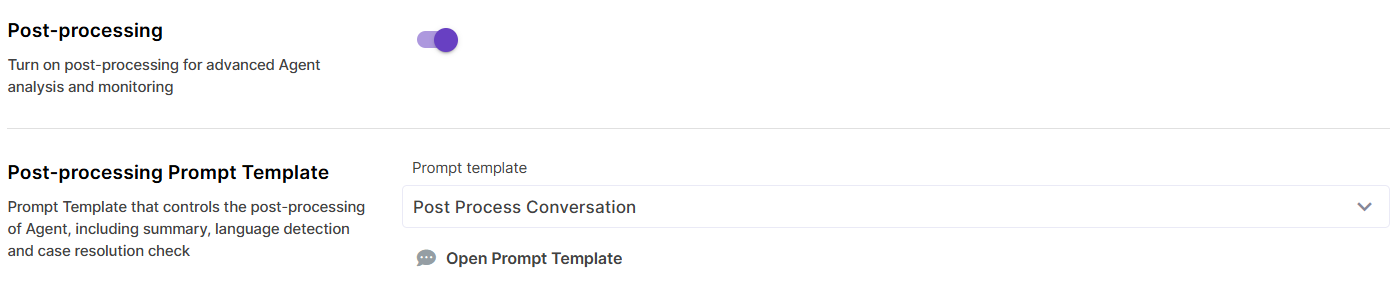
Post-processing
Enable post-processing to collect metrics about conversations, like user sentiment, language, or resolution status. Metrics are generated with the help of a post-processing Prompt Template, for example DEFAULT_AGENT_POST_PROCESSING.
Post-processing is done on the conversation level. Message post-processing is not yet released.
UI Settings
Welcome message
A field to provide a default welcome message for the end-users. This message remains on UI and does not become a part of Agent's conversation (i.e. you will not be able to see it in Traces etc).

User feedback
Enable user feedback to collect likes and dislikes. For negative feedback, a comment can also be provided, so that Agent owners can analyze feedback. User likes and dislikes are included in Usage reports on both message and conversation level.

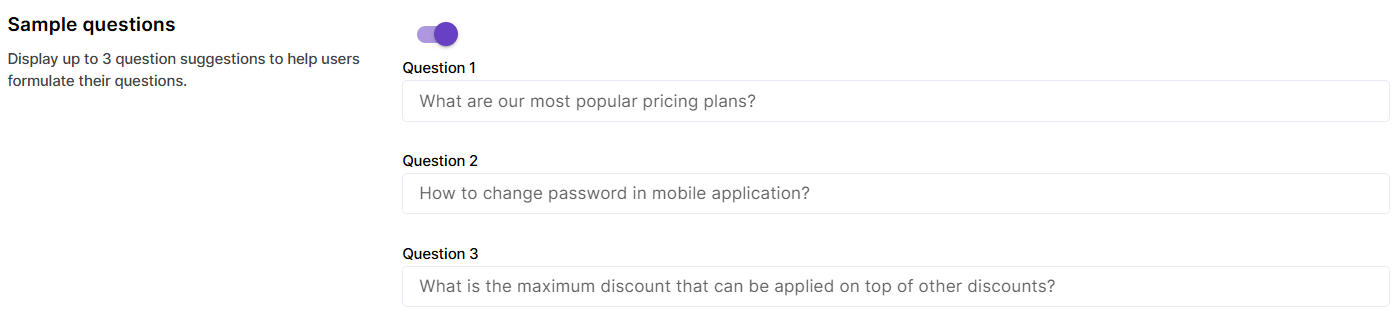
Sample questions
Provide up to 3 sample questions to help users start their first conversation with the Agent.
Channels
Please check the Channels page for detailed information on how to make your Agent available via various channels like web or messengers.
Conversations
Under the Conversations tab, history of latest conversations with the Agent is stored. Please navigate to Usage or Traces for a comprehensive overview of Agent calls.
Notes
Use this tab to store your notes and test inputs for the Agent.
Test sets
Specific Test sets for evaluating Agents are not yet available, but you can choose a RAG or Prompt Template Test set here and use it for quick testing of specific Agent actions.
To use this feature, select a Test Set from the dropdown and just click on a Test Set record to copy it into the user message field in Agent.