
Retrieval Tool Configuration
The Retrieval Tool configuration screen is split into several tabs, or sections. Since there are a lot of things in common with RAG Tools, we will refer to the RAG Tool configuration process and highlight the differences.
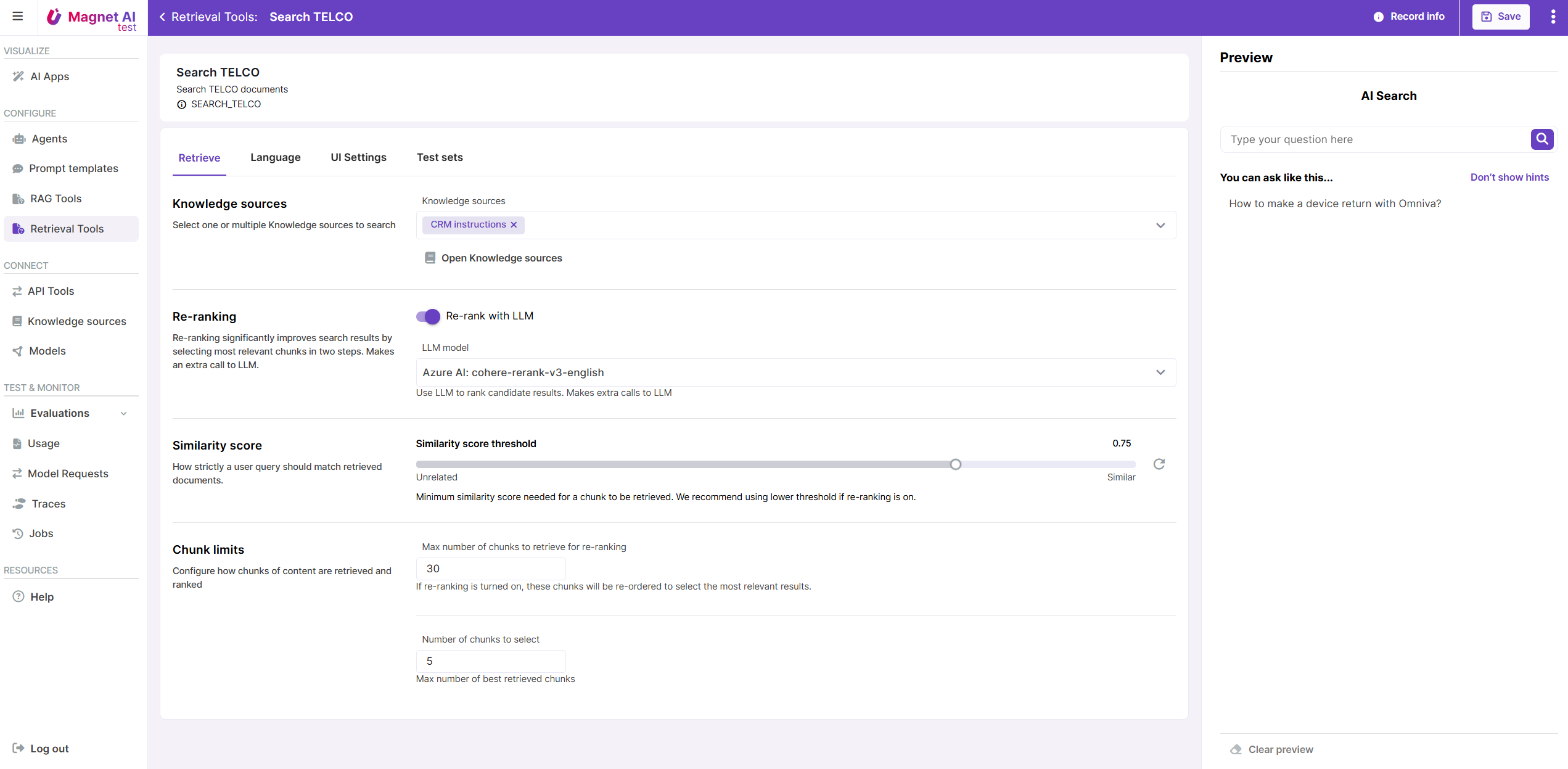
Retrieve
The Retrieval configuration section for Retrieval Tools has almost the same set of parameters as that of RAG Tool, but Number of added chunks parameter is not applicable here, since Retrieval Tools only return links to chunks without generating text.
Re-ranking can be enabled for Retrieval Tools just like for RAG Tools.
INFO
There are no Generate parameters for Retrieval Tools since these do not generate any text.
Language
Multi-lingual Retrieval works in the same way as multi-lingual RAG: first, user language is detected with a prompt, then user input is translated into language of Knowledge Source. There is no need to translate response back to user message in the Retrieval pipeline, but the same default translation Prompt Template can be used for input translation.
INFO
Post-processing is currently not available for Retrieval Tools.
UI settings
Retrieval Tool UI settings are the same as those of RAG Tools.
Test sets
You can use test sets with type RAG Tool to test/preview your Retrieval Tools, so use this tab to reference a relevant Test set for quick access to sample inputs.